Start with the included training bundle
Use the built-in content to cover all 5 of 5 required initial hours: 2 of 2 orientation hours and 3 of 3 safety hours, plus annual training your team can keep assigning later.
Care2Comply gives agencies all 5 of 5 required initial training hours: 2 of 2 orientation hours, 3 of 3 safety hours, annual training courses for the rest of the year, and a 30-day trial with no card required. Caregivers can train on a phone, laptop, or tablet through a private training link or an email signup invitation for a portal account.

Use the included orientation, safety, and annual training material, start with ready-to-go agency orientation content, then invite caregivers and track progress from one admin dashboard.
The platform is designed to help agencies move quickly without losing the parts that must stay specific to the agency.
Use the built-in content to cover all 5 of 5 required initial hours: 2 of 2 orientation hours and 3 of 3 safety hours, plus annual training your team can keep assigning later.
The standardized agency introduction and standardized terms of employment, conduct, and caregiver rights content are already built in. Use them as-is, or edit them to make the courses more personal if you choose.
Send a private training link or portal invitation, monitor progress, and use automatic follow-ups to keep outstanding training moving.
Choose a complete role-based pathway or a custom assignment of individual courses. Add training for extra duties, adjust and restore a worker’s course requirements, and track configured annual or two-year renewals. Agency leaders can also complete available Agency Admin Training with saved progress and certificates.
Our course set fulfills all 5 of the 5 required initial training hours for caregivers, including 2 of the 2 required orientation hours and 3 of the 3 required safety hours. It also includes annual training courses agencies can assign throughout the year.
Use this as your starting training program now, including standardized orientation content your team can personalize before assigning.
Stand up a cleaner, more consistent process for assigning training, following up on progress, and keeping records ready for review.
The required orientation content includes a standardized agency introduction and a standardized terms of employment, conduct, and caregiver rights course. Your team can use both right away, or review, edit, assign, and track them from the platform.
Preview the admin workspace your team would use to manage training, then switch over to the caregiver view to see the training experience your staff would actually complete.
Option 1 New
Give caregivers a private link to their assigned training. They can start without creating an account or setting a password.

Option 2
Send an email invitation so caregivers can create their own account and sign in to the full caregiver portal.

Launch, organize, and manage caregiver training without relying on scattered spreadsheets and manual follow-up.
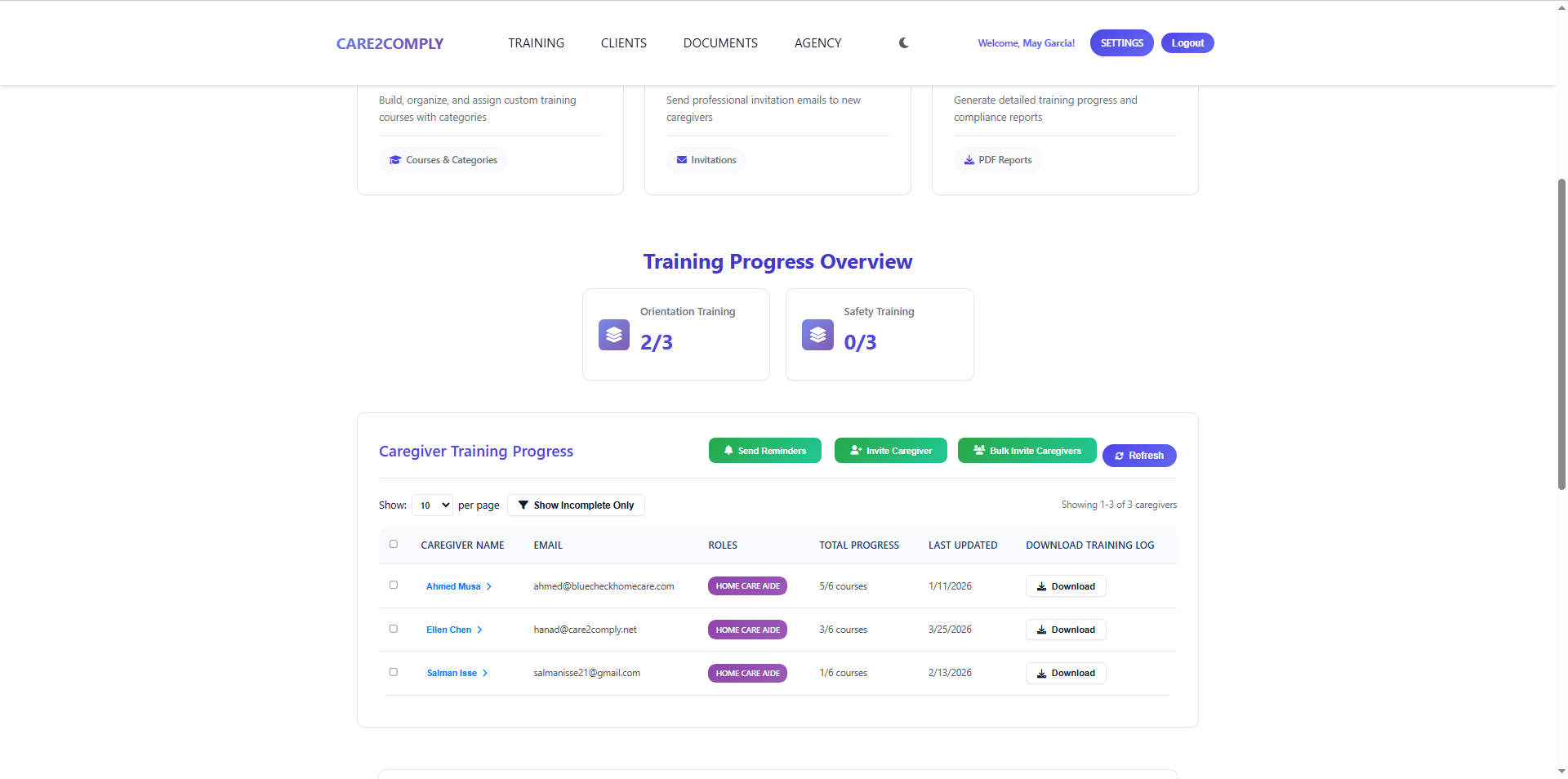
Progress reporting helps admins spot incomplete assignments and keep caregiver onboarding moving.

Follow up automatically on invitations that have not led to signup and on unfinished training, using your agency’s settings and supported email/text delivery.

Select caregivers and categories, then download combined PDFs or ZIP files for your agency’s records. Download eligible course PDFs for reference or printing.

Caregivers open a private training link or sign in to their portal account to see assigned courses, continue saved progress, and review completed work on a phone, laptop, or tablet.

Clear status and progress show what is still required and which course to start or continue next.

Completed orientation courses stay available for review alongside their completion dates and training history.

Caregivers can start or continue on a phone, laptop, or tablet. This preview shows the phone experience.
Send contracts, policies, and forms directly to caregivers, clients, and even social workers for digital signatures. All signed documents are stored securely so your team can keep moving without chasing paper.

Combine PDFs and templates, arrange their order, assign documents and fields, and save common bundles as reusable packet templates.

When your agency enables email verification, recipients confirm access to their saved email address with a code before accessing and signing their document.

Send individual copies or use shared signing, guide recipients through their assigned documents, and receive completion emails after required packet signers finish.

For verified signings, retain verified email, signing time, IP/browser details, and electronic consent. Download the document, signing record, or a combined PDF.

Upload PDFs or use a saved template, fill and sign the paperwork yourself, and keep the results in Document Status without emailing it to yourself.

Required-field progress stays clear on a phone, and Complete becomes available once required entries are filled.
Create your account, choose your starting setup, and explore the platform with a 30-day complimentary admin trial. If you want to keep going afterward, pricing is $100 per month, month-to-month, and you can cancel anytime.